

On this page 6 sections
A Story in Cozee is a set of rooms with a narrative around them. The Spaces are grouped into chapters and laid out on a map on your Visionboard, and you design each room to move through the Story. When you’ve designed the rooms, you claim the Story’s reward. What makes Stories different from picking a single Space is the brief: a setting and a cast of characters that tell you who each room is for. Below is how a Story works, how to read its Visionboard, and how to design a whole run of rooms that feel like they belong together.
How a Story works
Think of a Story as a short series rather than a single episode:
- Open your Visionboard. It’s where your Stories live, with each one laid out as a map.
- Choose a chapter. Each chapter is a group of Spaces on the map.
- Design each Space. It’s the same editor as everywhere else: an empty 3D room, the catalog, drag, move and rotate, then submit.
- Complete the Story and claim its reward. As with every reward in Cozee, it waits in the app until you tap to claim it.
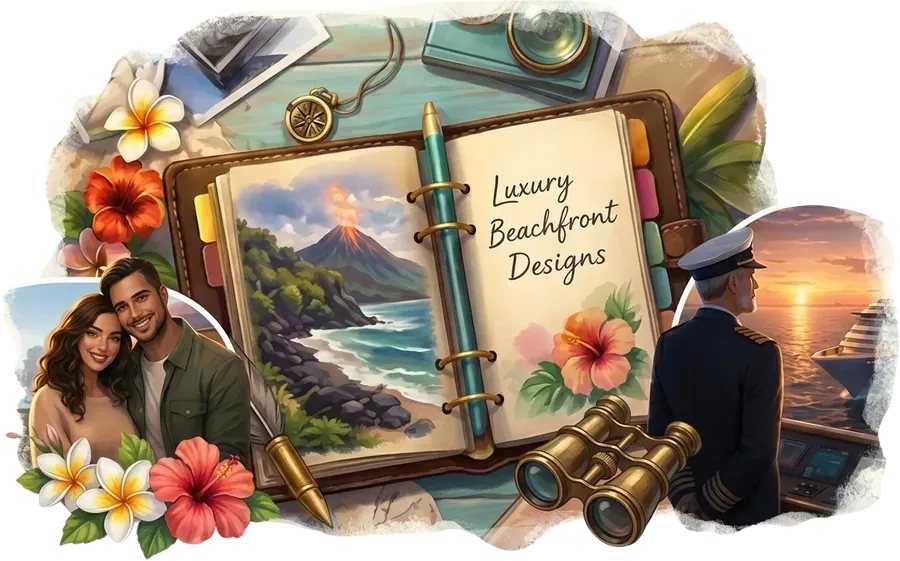
The Visionboard art sets the scene. The one at the top of this page shows a planner titled “Luxury Beachfront Designs”, a volcanic coast, tropical flowers, binoculars, a young couple and a ship’s captain. Before you’ve placed a single sofa, it has told you a lot: a tropical, coastal setting, a sense of travel and adventure, and at least two very different clients.
Designing each Space
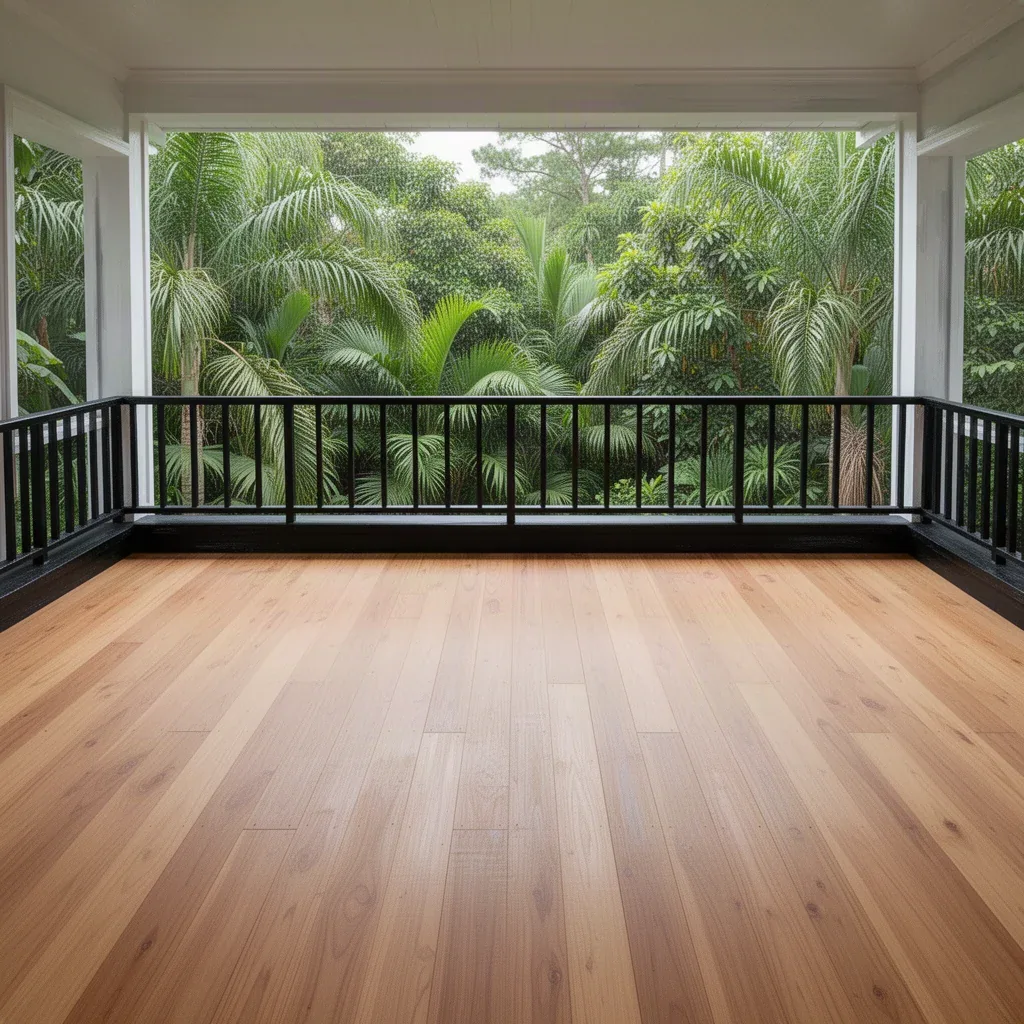
Every room in a Story starts empty, like the jungle balcony below. The Story tells you who might sit there; the room tells you what you have to work with.
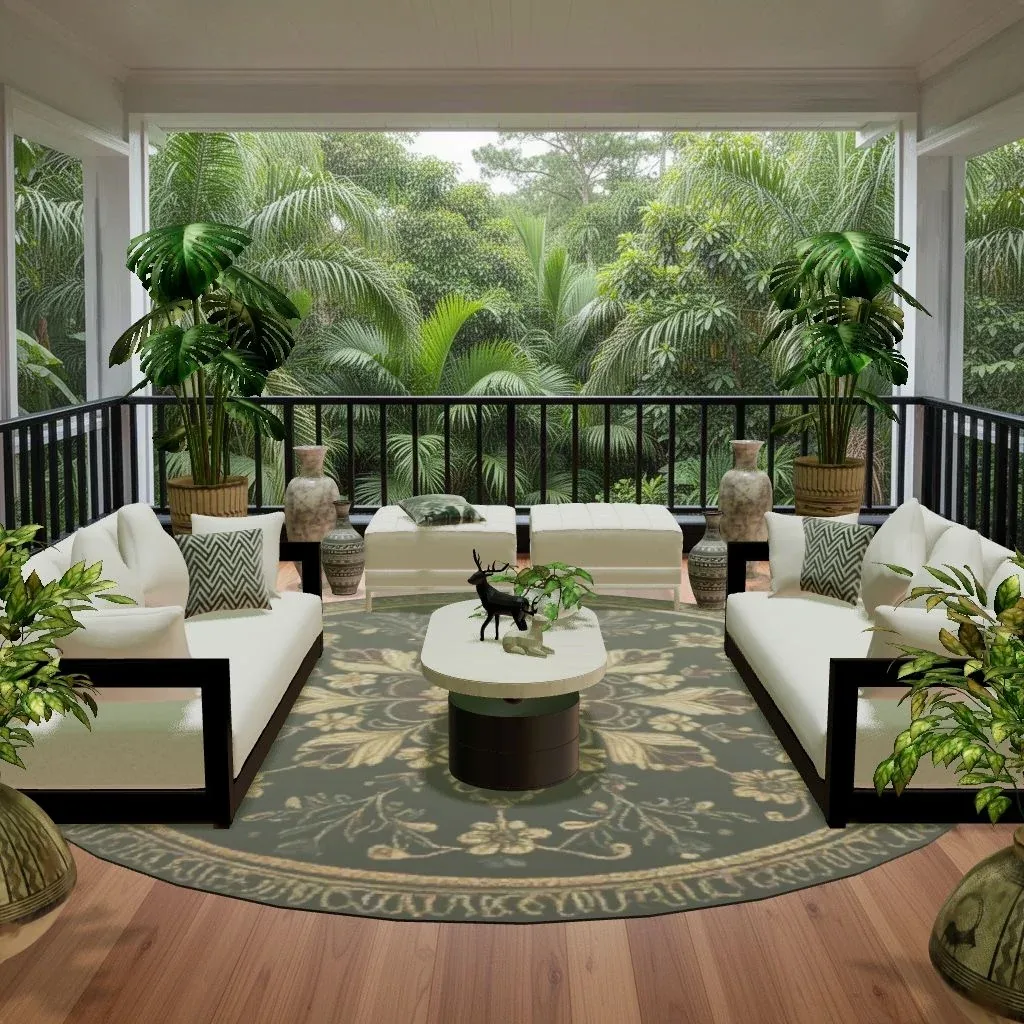
The basics are the same as for any Space, and the beginner’s guide covers them: find the focal point, anchor the seating with a rug, layer the light, add plants and textiles last. What changes in a Story is how you make your choices.
How to design to a story brief
Interior designers start most projects with a brief: who lives here, how they use the room, what they love. A Story hands you a version of that. These steps turn it into decisions.
1. Name the client and the moment
Look at the Visionboard and ask: who is this room for, and what are they doing in it? “The couple, having breakfast on the balcony on the first morning of their trip” is a brief. “A balcony” isn’t. Write it as one sentence. It will settle a dozen small decisions later, from “dining table or daybed?” to “candles or a reading lamp?”
2. Pull a palette from the art
The Visionboard is a ready-made mood board. The beachfront one above gives you sea teal, hibiscus coral, sand, brass and dark leather. Pick three or four of those: a main neutral, a supporting color, an accent, plus one material such as wood or brass. If you want help building a palette, see interior design color palettes and color theory for rooms.
- Sand
#E9DCC3 - Sea teal
#2E7F80 - Hibiscus
#E2604A - Brass
#B08A4A - Leather
#4A3426
3. Give each character their own room
When a Story has more than one client, let the rooms show it. A captain’s study might lean dark and nautical: navy, polished wood, brass, a globe, maps on the wall. A couple’s suite might be lighter and softer: linen, rattan, coral cushions, a view-facing bed. Different rooms, same world. Our coastal and Mediterranean style guide is a good starting point for a seaside Story.
4. Keep a thread running through every chapter
A Story should feel like one place, not a stack of unrelated rooms. Choose one or two through-lines and repeat them in every Space: the same wood tone, a recurring accent color, a type of plant, one signature lamp. Designers do this in real homes so that walking from room to room feels calm. It’s especially useful if a Story moves between indoor rooms and terraces or balconies.
5. Answer the architecture, too
A brief never overrides the room. If a Space has a big window onto the sea, the view is still the focal point, whatever the story says. Face the seating toward it, keep tall pieces away from the glass, and let the brief decide the mood and details. Our guide to a living room with a view covers this in detail.
6. Tell the story with small things
Big furniture sets the style; small objects tell the story. A pair of binoculars on a side table, a stack of travel books, a ship model, a bowl of tropical fruit. Two or three of these per room, grouped in odd numbers at different heights, are enough. More than that and the room starts to look like a theme park.
Common mistakes in Story rooms
- Taking the theme too literally. A seaside Story doesn’t need anchors on every wall. Use color and material first, objects second.
- Forgetting the room’s job. A bedroom still needs a bed that’s easy to walk around and lamps by it, however adventurous the client.
- Restarting the palette every room. Without a through-line, finishing a chapter feels like five separate projects.
- Crowding. Story rooms tempt you to add every prop you can find. Edit before you submit: a use is only spent on pieces in the design you submit, so removing extras costs nothing.
Stories vs. creating your own Space
Stories are written for you. If you’d rather write the brief yourself, Cozee also lets you create your own Space: choose a room, describe its mood, style and story, pick one of the looks Cozee generates, and publish it with a Space token for other players to design. Designing a few Stories first is good practice for writing a brief other people will enjoy.
Try it in Cozee
Open your Visionboard and pick the Story whose art you like most. Before designing its first Space, write three things in your notes app: the client and the moment, a four-color palette pulled from the art, and one through-line you’ll repeat in every room. Then design the first Space, starting with the focal point and the rug. When you start the next room, glance at that note before you open the catalog, so the whole Story ends up feeling like one place.
Questions people ask
What is a Story in Cozee?
A Story is a set of Spaces grouped into chapters and laid out on a map on your Visionboard. You design each room to move through the Story, and completing it earns a reward that you claim in the app.
What is the Visionboard?
The Visionboard is where your Stories live in Cozee. It shows a Story’s chapters as a map of Spaces, so you can see which rooms you’ve designed and which are still waiting.
Is designing a Story Space different from a normal Space?
You design a Story Space the same way as any other Space: furnish the empty 3D room with furniture from the catalog and submit it. The Story adds a setting and characters that give each room a brief to design to.
How do I design a room for a story?
Work out who the room is for and what happens in it, write that as one sentence, then choose a palette and furniture that answer it. Keep one or two elements, like a color or a material, running through every room so the Story feels connected.
Try it in an empty room first
Cozee is a free interior design game for iPhone and Android. Pick an empty 3D room, fill it with real furniture, and see what the community thinks.
4.7 on the App Store · Free, with optional in‑app purchases